
Kofi Annan states, “Knowledge is power, Information is liberating, and education is the premise of progress in every society and every family”. This quote has encouraged and motivated me to be enthusiastic about gaining new knowledge until I started a data analysis course for my MBA.
Data analysis is working with data to glean useful information, which can be used to make informed decisions. Though I have just a decent knowledge of Excel, learning to use Structured Query Language (SQL), Power BI, Tableau, R, Python, and other analytical and visualisation tools and techniques quickly is frightening. In gaining new knowledge, I have learnt to be as open and objective as possible. Having a positive state of mind about this new knowledge has proved to be the best thing I can do for myself. We started with Structured Query Language (SQL) (which I will write about much later) and have moved to Power BI. Power BI turned out to be easier than I thought. I’m thankful for the mindset I assumed before starting my data analysis course. These are my findings on Power BI.
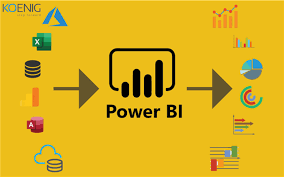
Power BI is a collection of software services, apps, and connectors that combine to turn unrelated data sources into coherent, visually immersive, and interactive insights. The data might be an Excel spreadsheet or a collection of cloud-based and on-premises hybrid data warehouses. Power BI makes connecting data sources easy, visualising and discovering what is essential, and sharing that with anyone. Power BI consists of several elements that all work together, starting with these three basics:
- A Windows desktop application called Power BI Desktop.
- An online software as a service (SaaS) service called the Power BI service.
- Power BI Mobile apps for Windows, iOS, and Android devices.
These three elements—Power BI Desktop, the service, and the mobile apps—are designed to create, share, and consume business insights in the way that serves you and your role most effectively. Here are some reasons to use Power BI.
How do you know if Microsoft Power BI should be used?
- A quick start. Insights would be gotten quickly with an uncomplicated setup and no required training, and dashboards for services such as Salesforce, Google Analytics, and Microsoft Dynamics would be included.
- Streamlined publication and distribution. Instead of emailing large files or putting them on a shared drive, analysts upload reports and visualisations to the Power BI service, and their data is refreshed whenever the underlying dataset is updated.
- Real-time information. Dashboards update in real-time as data is pushed or streamed in, allowing viewers to quickly solve problems and identify opportunities. Any report or dashboard can display and update real-time data and visuals. Streaming data sources can be factory sensors, social media sources, or anything from which time-sensitive data can be collected or transmitted.
- Customise Power BI navigation. The navigation experiences feature gives report developers the power to customise navigation to help viewers find content quickly and understand the relationships between different reports and dashboards.
- Ability to customise security features. Report developers can set up row-level security (RLS) access filters to ensure that viewers see only data relevant to them, mitigating the risk of people seeing data they shouldn’t.
- Cortana integration. Power BI works with Microsoft’s digital assistant, Cortana. Users can verbally ask questions in natural language to access charts and graphs. This can be especially helpful for users with mobile devices.
- Artificial Intelligence. Power BI users can access image recognition and text analytics, create machine learning models, and integrate with Azure Machine Learning.
Power BI is an effective and helpful tool, and it’s easy to learn. I’ll be sharing more after practising.
#MMBA5

 Debit and Credit Brouhaha: Learning Reflections